

Introduction
Network-attached storage is one of those ideas that sounds almost perfect on paper. Keep your files at home, access them wherever you are, automatically back up photographs from your phone and potentially reduce your reliance on increasingly expensive cloud-storage subscriptions.
The problem is getting there.
A traditional NAS can quickly become a fairly serious investment once you factor in the enclosure, storage drives and any upgrades you might want later. There is also a learning curve. Modern NAS platforms are considerably friendlier than they once were, but permissions, remote access, user accounts, networking and backup rules can still feel excessive if all you really want is convenient access to files you already have sitting on a computer.
The FanX Drive X3 approaches the problem from a different direction.
Rather than asking you to replace your existing computer with a dedicated storage server, this tiny USB device works alongside FanX Cloud software to give a PC NAS-like functionality. The idea is simple: connect the X3 to a computer you already own and turn its existing storage into a private cloud that can be accessed remotely.
That includes remote file access, automatic phone backups, link-based file sharing, remote PC control and AI-assisted photo organisation, alongside a growing selection of more advanced applications.
It is an interesting proposition, particularly if you have an older Windows PC sitting unused.
There is one major point to establish before going any further, though. The FanX Drive X3 is still a crowdfunding product, and the unit tested for this review was running pre-release beta software. The Kickstarter campaign is now live, but some parts of the platform are still being developed and the experience may change before retail units reach buyers.
So while the underlying concept is promising, this is best viewed as an evaluation of where FanX is today rather than a guarantee of exactly what the finished ecosystem will look like.
Quick Summary
The FanX Drive X3 is essentially a shortcut to building your own private cloud without buying a conventional NAS.
Its biggest strength is simplicity. Instead of building a separate storage server, the X3 lets you reuse a Windows PC and its existing drives, then provides remote access, mobile backup, sharing and remote-control features through FanX Cloud.
For everyday documents, photographs and general personal storage, the concept makes plenty of sense. The hardware itself is tiny, installation is considerably less intimidating than configuring many DIY NAS solutions, and there are no recurring cloud-storage fees associated with the basic proposition.
It does come with meaningful trade-offs.
Performance still depends on the host computer, its storage and your internet connection. The software remains relatively young, Windows currently provides the fullest host experience, and this does not provide the redundancy, dedicated hardware or mature ecosystem you would expect from an established NAS platform.
For someone with an unused PC who primarily wants straightforward private remote storage, however, the X3 fills an interesting gap.
What’s in the Box
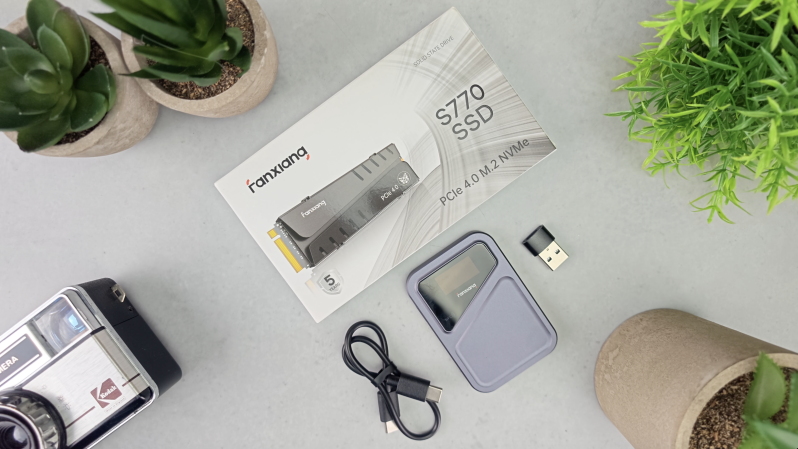
The package is understandably minimal because most of the X3’s functionality comes from the combination of the device and FanX Cloud software.
Inside you get:
- FanX Drive X3
- High-speed connection cables for USB-A and USB-C systems
- Quick-start documentation
There is no bulky external power supply or Ethernet cable to contend with. The X3 takes power from the host computer through USB, helping keep the physical installation remarkably tidy.
Design & Build Quality
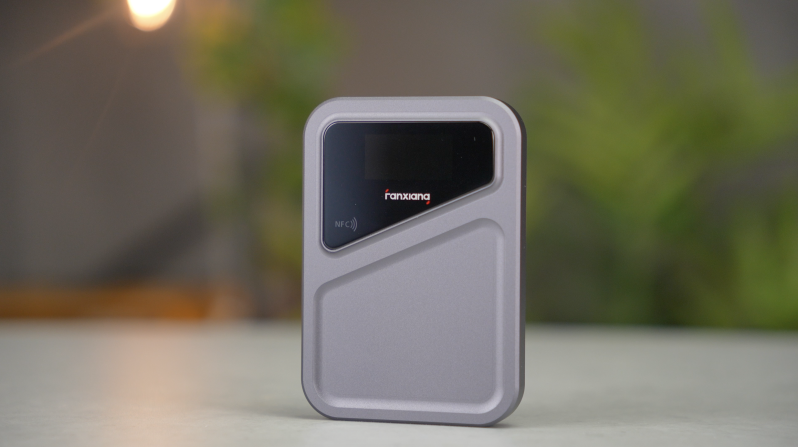
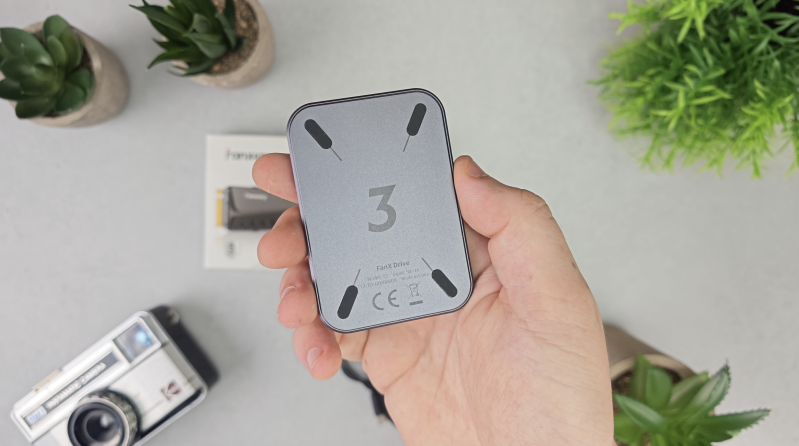
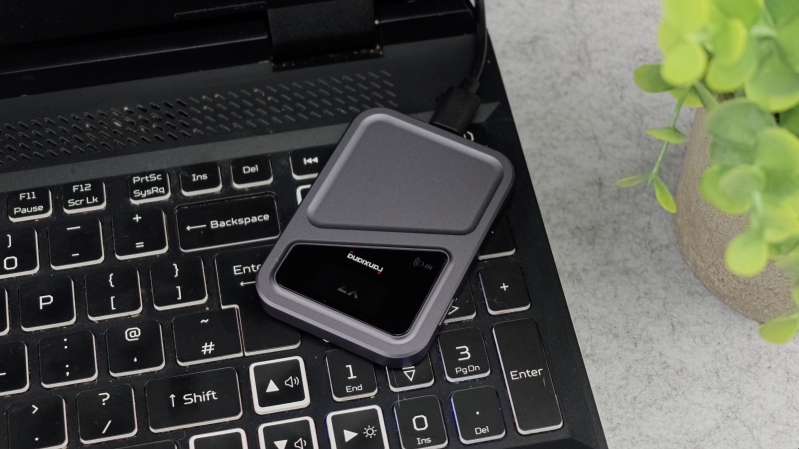
The first thing you notice about the FanX Drive X3 is just how small it is.
At roughly 78 x 54mm and around 10mm thick, it occupies less space than almost any traditional networking device and feels much closer to a compact portable drive.
That is important because this isn’t intended to become another large box sitting beside your router. It effectively becomes an accessory for the computer that is already doing the real work.
The aluminium housing is a welcome touch. It gives the device considerably more substance than a typical plastic USB dongle, while the matte-black finish is understated enough to disappear neatly into a desktop setup.
There is also a small status display on the front. It is fairly basic and primarily serves as an indication that the unit is operating rather than functioning as a full interactive interface.
And that simplicity is really the theme of the hardware.
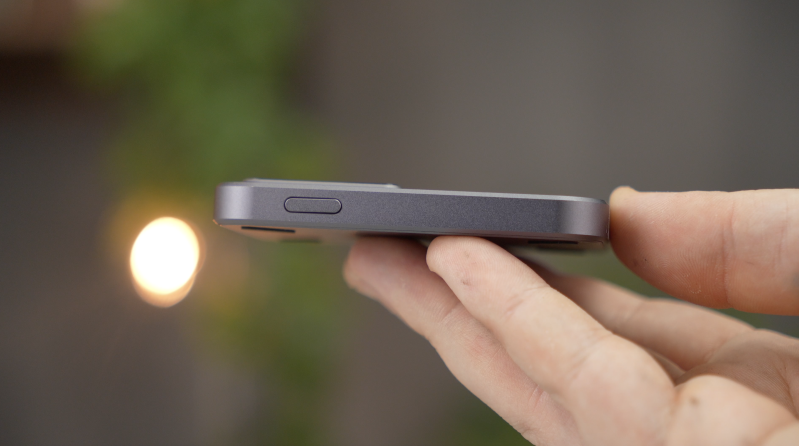
There are no drive bays to populate, no elaborate front panel and very little that you physically need to interact with once everything has been connected.
That makes the X3 pleasantly unobtrusive, but it also reveals an important distinction between this and a conventional NAS: the hardware is only part of the product.
Almost everything that makes the X3 interesting happens through software.
Setup & First Impressions
Setting up the FanX Drive X3 is considerably less intimidating than building a NAS from scratch.
You connect the device to the Windows computer you want to use as your host, install FanX Cloud, create or connect your account and then determine which storage locations should be made accessible.
Install the mobile application on your phone, sign into the same ecosystem and those selected files can then become available remotely.
The intention is to remove much of the traditional networking work from the process. You aren’t expected to manually configure router ports, arrange dynamic DNS or build your own VPN simply to access a document when you’re away from home.
That accessibility is probably the X3’s strongest argument.
NAS operating systems have improved enormously, but they can still look overwhelming to someone whose requirements begin and end with, “I want my photographs backed up and my files available when I’m away.”
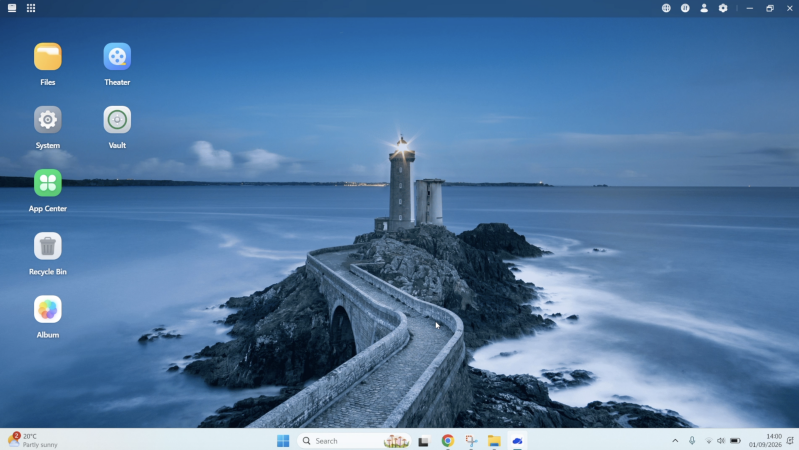
FanX presents those features in a much more familiar consumer interface.
It isn’t completely effortless, though.
You are still installing host software, creating an online account, choosing which locations should be exposed and giving the application the required access to your files.
And during testing, it was important to remember that this was beta software rather than a mature platform that has been through years of public releases.
Windows currently offers the most complete host-side experience. Fanxiang is developing broader macOS functionality, but buyers should check the latest compatibility information before purchasing rather than assuming complete feature parity across every operating system from day one.
For an evaluation product, that is understandable. For an early crowdfunding buyer, it is still something worth considering carefully.
Features & Performance
Remote File Access
Remote file access is arguably the core reason the X3 exists.
Once your host computer is configured, you can open FanX Cloud on another supported device, browse available folders and retrieve files without physically being on your home network.
The practical value becomes obvious very quickly.
Imagine finishing a project on your desktop PC, leaving home and then realising that you need the final video, a thumbnail or an accompanying document. With a normal workflow, that file would need to have been copied to your laptop or uploaded to a cloud service beforehand.
With the X3, the original can remain on your computer and still be remotely accessible.
It feels much more like having your own personal cloud repository, only the actual storage remains on your hardware.
There is an important limitation that no clever software can remove: your internet connection.
Remote transfer performance is determined by far more than the USB interface on the X3. Your host computer, local storage, network conditions and particularly the upload bandwidth of the internet connection where the computer is located all matter.
If your home connection only has modest upload speeds, downloading a huge 4K video remotely is still going to be slow.
The X3 makes that video accessible. It cannot magically increase the bandwidth available to send it.
For documents, photographs, presentations and smaller project folders, that’s much less of an issue. If you’re regularly moving hundreds of gigabytes of raw footage between locations, local storage or a proper high-speed workflow remains considerably more practical.
Phone Backup
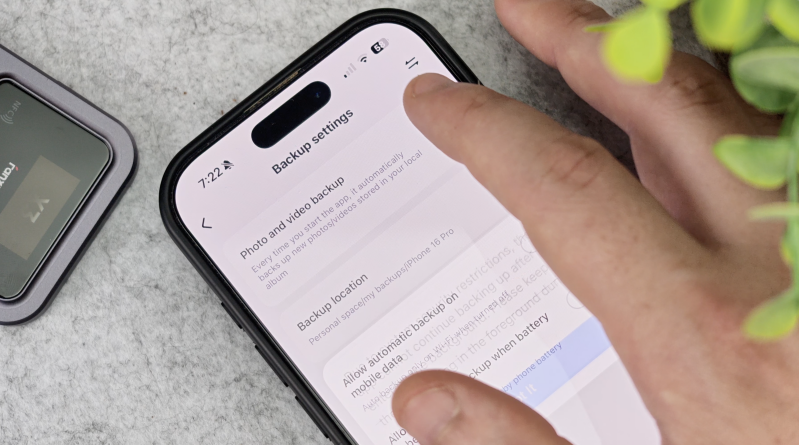
Automatic mobile backup is one of the X3’s strongest everyday features.
Rather than continuously expanding your iCloud or Google storage plan as your photo library grows, FanX Cloud can move photographs and videos back to storage attached to your own computer.
For households with years of phone photographs, that could become particularly valuable.
You retain control over the physical storage and aren’t using a conventional public cloud service as the primary home for those originals.
There is an economic argument here too. Cloud subscriptions can seem inexpensive monthly but become a permanent ongoing expense once your library grows beyond the free allocation.
Local storage requires its own upfront investment and maintenance, of course, but if you already have a PC and suitable drives, the equation starts to look considerably more favourable.
It is important not to confuse local storage with backup redundancy, though. If your only copy of a photograph moves from your phone onto one hard drive inside one computer, that isn’t automatically a robust backup strategy.
Anyone storing irreplaceable family photographs or important work should still maintain another independent copy.
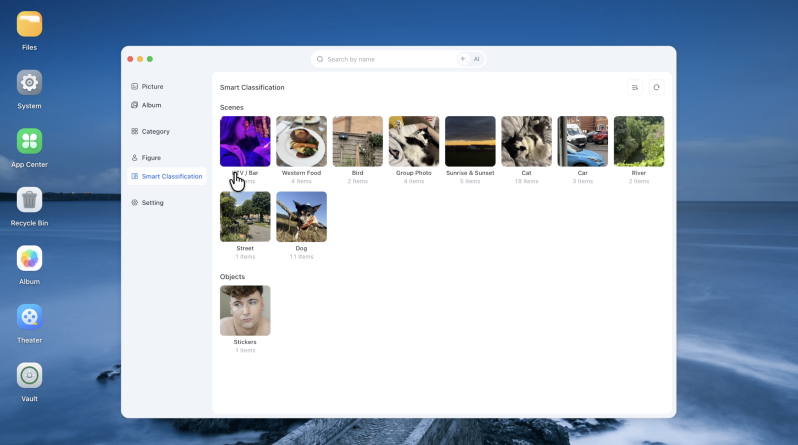
AI Album
FanX is also attempting to address one of the big advantages traditional cloud-photo services have over simple local storage: organisation.
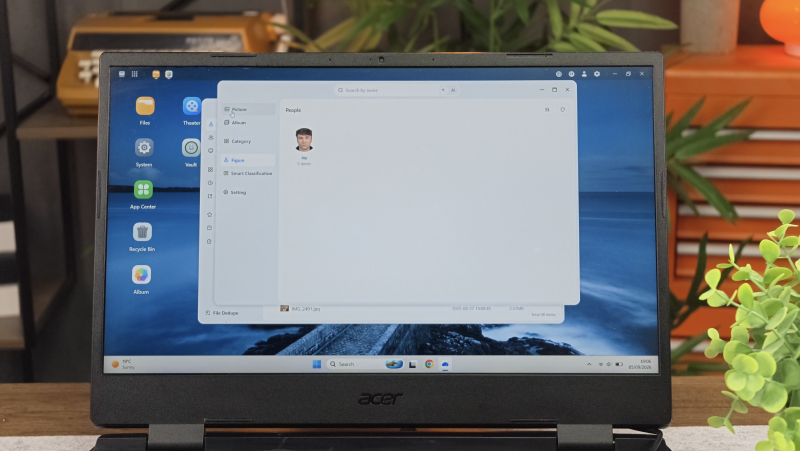
Its AI Album feature is designed to analyse photographs and organise them using information such as people, scenes, locations and timelines.
This matters because storing thousands of photographs is easy. Finding a particular photograph three years later is where things become difficult.
Google Photos and similar services have trained users to expect libraries that organise themselves rather than forcing them to navigate endless folders manually.
FanX is effectively trying to reproduce some of that convenience while keeping the actual source media on your own storage.
The concept is excellent.
Its long-term usefulness will depend on how consistently the recognition works.
Broad categories such as pets, landscapes, food and screenshots are only helpful when the system classifies content accurately enough that you can trust the results.
And AI-assisted photograph management is not unique to FanX. Established NAS ecosystems already offer increasingly sophisticated photo applications of their own.
The attraction here is accessibility rather than exclusivity: FanX wants to make these tools available without requiring the user to invest in and configure a conventional NAS.
Given the software’s current stage of development, I wouldn’t buy the X3 solely because of its AI features. Think of AI Album as a potentially useful addition rather than the fundamental reason for choosing the platform.
File Sharing and Collaboration
FanX Cloud isn’t limited to accessing your own files.
You can create links for files and folders, share them with other people and apply controls such as access permissions and expiry periods.
For creators, photographers and small teams, that potentially removes another layer of cloud dependency.
A photographer could leave a client’s finished gallery on local storage, generate a shareable link and provide access without first uploading the same files to an additional transfer service.
Likewise, a creator could send a finished video from the storage already attached to their main workstation.
FanX is also building collaboration around shared folders, multiple users and versioning features.
This is an area where reliability will matter enormously.
If a personal backup takes another attempt to complete, that’s irritating.
If you send a download link to a paying client and the service isn’t available when they open it, the stakes are considerably higher.
Until FanX Cloud has developed a longer public reliability record, I would be happy treating it as a convenient casual sharing system, but I would maintain a conventional fallback method for important commercial deliveries.
It is also worth recognising that the current multi-user implementation isn’t as granular as you may expect from a mature business NAS platform. For households and straightforward shared storage this may be perfectly adequate, but organisations requiring detailed quotas and sophisticated file-by-file permissions should investigate the current capabilities carefully before relying on it.
Remote Wake and Remote Control
One of the more interesting differences between the X3 and a basic remote file-access application is its ability to interact with the host computer itself.
FanX supports remote wake functionality alongside remote desktop control.
In principle, that means your computer doesn’t necessarily need to remain fully powered and running around the clock just so you can retrieve the occasional document.
If your system supports the required wake functionality, you can remotely wake the machine when it is needed, access your files and then shut it back down afterwards.
That potentially makes repurposing a conventional PC more attractive because one of the obvious disadvantages of using a full desktop as a NAS is power consumption.
A dedicated NAS is generally designed to run continuously and efficiently. A gaming PC or old workstation may use considerably more electricity if it has to remain fully operational 24/7.
Remote wake doesn’t eliminate that difference, but for occasional access it could make the arrangement much more sensible.
Combining storage access and remote computer control inside one application is also genuinely convenient for basic maintenance and remote tasks.
Wake compatibility ultimately depends on the host machine and its motherboard or firmware configuration, so this is another feature that buyers should confirm works correctly with their particular hardware.
Security & Privacy
Privacy is naturally central to the X3’s appeal.
The entire proposition is based around keeping your primary files on storage you control rather than permanently handing them to a conventional cloud-storage provider.
FanX says source data remains on your local storage and its current platform incorporates encrypted remote connectivity and account separation.
That distinction is important.
The X3 still requires networking infrastructure and FanX Cloud functionality to make its remote-access experience possible, so “private cloud” shouldn’t be interpreted as meaning that no external service is involved anywhere in the connection process.
Fanxiang’s current documentation describes a system that can establish direct peer-to-peer connectivity where possible and use a relay when necessary.
For buyers prioritising sensitive material, that architecture, the maturity of the software and the company’s ongoing security practices deserve just as much consideration as the encryption terminology itself.
There is nevertheless a clear privacy advantage to not storing your entire personal library as a conventional cloud-hosted copy by default.
Private photographs, project files and business documents can remain on hardware physically under your control.
Just remember that local ownership also transfers more responsibility to you. Drive failures, accidental deletion, malware and theft do not disappear because your data is stored at home.
A private cloud gives you control. It doesn’t remove the need for a proper backup strategy.
Apps, Docker and Expansion
FanX’s ambitions extend beyond remote files.
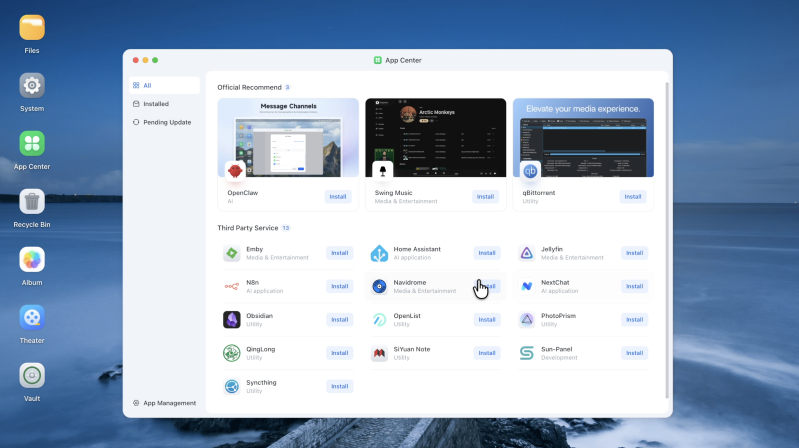
The company is developing an App Center with a growing library of applications alongside Docker support and other self-hosting capabilities.
That potentially moves the X3 towards something closer to the broader ecosystem people associate with modern NAS platforms.
Instead of merely serving files, a host computer could become a platform for media services, productivity tools, local utilities and other self-hosted applications.
There is obvious appeal here because the host computer potentially has far more processing power than an entry-level NAS.
A discarded mini PC or older desktop might already contain a capable processor, plenty of memory and expandable storage. Giving that hardware an approachable NAS-style interface could unlock far more functionality than its previous owner expected.
But I would treat the App Center as secondary to the fundamentals.
Remote access needs to work consistently.
Backups need to be dependable.
File sharing needs to remain available.
And the software needs to continue receiving meaningful long-term support.
If FanX establishes those basics and subsequently develops a strong application ecosystem, Docker support becomes a valuable bonus. It shouldn’t distract from the core job the X3 needs to get right.
Real-World Experience
The more time you spend considering the X3, the clearer its ideal role becomes.
This isn’t really trying to beat a multi-bay Synology, QNAP or DIY server at being a serious storage appliance.
It is trying to remove enough complexity that somebody who would never have built a server in the first place can still enjoy many of the benefits.
And in that context, it makes considerably more sense.
Suppose you have an older Windows desktop with several terabytes of perfectly usable storage. You don’t necessarily want to wipe it, install a specialist operating system and start configuring network shares.
You also don’t want another large piece of hardware sitting beside it.
The X3 gives that computer another purpose.
Your phone photographs can return home automatically. Work files can remain accessible when you’re travelling. A family member can retrieve something without you manually uploading it first. And when occasional deeper access is needed, remote desktop functionality is there as well.
That convenience has to be weighed against dependence on the host PC.
If the computer crashes, your private cloud is unavailable.
If Windows decides to restart for an update, your access could temporarily disappear.
If the storage drive fails, the X3 can’t save your files.
And if your home internet connection goes offline, no remote-access product can reach the machine until connectivity returns.
A traditional NAS faces some of the same network problems, but a purpose-built system normally offers more sophisticated redundancy, monitoring and storage-management options.
FanX’s approach is deliberately simpler.
Whether that is an advantage or a limitation depends entirely on what you need.
Pros
- Clever way to repurpose an existing Windows PC
- Much simpler concept than building a traditional DIY NAS
- Compact and unobtrusive aluminium hardware
- Remote access to locally stored files
- Automatic phone photo and video backup
- No recurring cloud-storage subscription required for the core service
- AI-assisted photo organisation has useful potential
- Link-based file and folder sharing
- Remote PC wake and desktop-control functionality
- Can use storage already installed in or connected to the host computer
- Growing App Center and Docker support add room for expansion
- Particularly appealing for households, creators and users with spare hardware
Cons
- Pre-release software remains less proven than established NAS platforms
- Windows currently offers the most complete host experience
- Remote speeds remain dependent on your home upload connection
- Host PC availability directly affects access to your files
- An old desktop may consume considerably more power than a dedicated NAS
- Does not replace proper backup redundancy
- Advanced multi-user permissions are still less mature than established NAS solutions
- AI features need more time to prove their accuracy and long-term usefulness
- Crowdfunding means delivery schedules and final functionality can still change
- Not an ideal substitute for a serious multi-drive 24/7 storage server
Who Is This For?
The FanX Drive X3 makes the most sense for someone who already owns most of the hardware required.
If you have a spare Windows PC, an older mini PC or a desktop containing several large drives, the X3 could provide a far easier route into private cloud storage than starting again with a dedicated NAS enclosure.
It should be particularly appealing to photographers, creators and households that accumulate large quantities of media but don’t necessarily need enterprise-grade storage infrastructure.
It also suits people who dislike the idea of continually increasing their monthly cloud-storage subscription and would rather keep the main copy of their data at home.
Where I would hesitate is for genuinely mission-critical storage.
Businesses that require sophisticated access permissions, guaranteed uptime, detailed storage health monitoring and redundant multi-drive arrays should still be looking towards established NAS systems or professional server solutions.
Likewise, someone who has no spare computer or drives shouldn’t automatically assume the X3 will be cheaper. Once you’re buying a host PC and storage specifically for it, the economics against an entry-level NAS begin to change.
The X3 is at its strongest when it lets you reuse technology you already own.
Final Verdict
The FanX Drive X3 is an interesting attempt to solve a genuine problem.
Private cloud storage is appealing, but conventional NAS systems can still feel unnecessarily complicated to people who simply want their own files accessible wherever they happen to be.
FanX strips the concept back.
Instead of replacing your computer, it adds a layer of NAS-like functionality around the computer and storage you already have.
The physical hardware is tiny and uncomplicated, while FanX Cloud brings together remote files, phone backups, file sharing, AI-assisted photograph organisation and remote PC control under one platform.
That combination has genuine potential.
It is not, however, a magical replacement for every conventional NAS.
You are still dependent on the host computer, the health of its drives, your broadband connection and FanX’s software. And because the product is still moving through its crowdfunding and pre-release stage, long-term reliability, ecosystem maturity and continued software support remain things that cannot yet be judged in the same way as they can with established NAS brands.
For users who need a serious 24/7 storage server with robust redundancy, advanced permissions and a proven long-term ecosystem, I would still lean towards a traditional NAS.
But that isn’t really where the X3 is most compelling.
Its best use case is the person with a perfectly good Windows PC sitting around who wants remote storage, automatic mobile backups and private-cloud convenience without turning NAS configuration into a weekend project.
For that buyer, the FanX Drive X3 could occupy a genuinely useful middle ground between paying indefinitely for public cloud storage and building an entirely new storage server.
The concept works.
Now FanX needs to prove that the finished software can be every bit as dependable as the idea behind it.
Watch the full cinematic video review on Gadget Crunch’s YouTube channel.
Add comment
Comments