

Introduction
Fans are one of those products that sound incredibly boring until you actually need to buy one.
On the surface, it feels simple enough. You want something that blows air, keeps the room feeling fresher and does not sound like a small aircraft taking off in the corner. But once you start looking properly, there is a huge difference between a cheap fan that just blasts air directly at your face and a more capable air circulator that can move air around an entire room.
That is where the Dreo TurboPoly Fan 765S comes in.
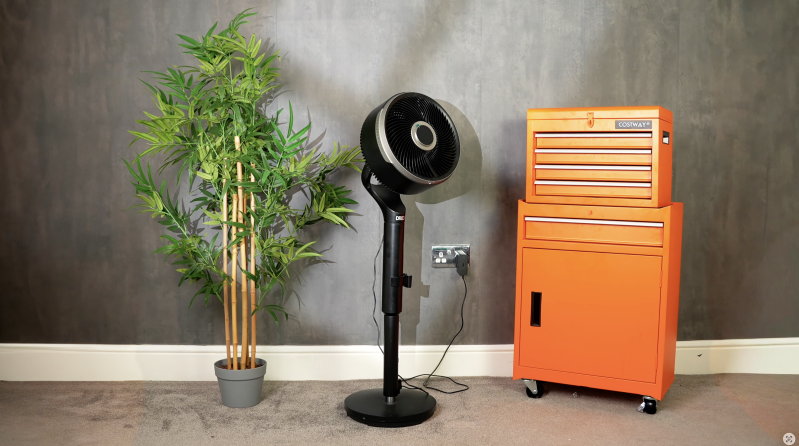
This is not really trying to be a basic pedestal fan. It is a smart, 3D air-circulating fan that can work either as a full-height pedestal fan or a shorter tabletop fan. It has 3D oscillation, app control, remote control, smart-home support, 12 speed levels, six airflow modes and Dreo’s MotionSync feature, which lets you guide the airflow by moving the remote.
It is also positioned as a more premium fan. On Dreo’s UK website, the TurboPoly Fan 765S was listed at £169.99 at the time of checking, including tax and free shipping, although it was marked as sold out. That puts it well above the cheap fan category, so the obvious question is whether it actually feels like a proper upgrade or just an expensive way to move air.
After using it around the house in a bedroom, office, living room and general everyday spaces, the answer is mostly positive — but with a few realistic caveats.
Quick Summary
The Dreo TurboPoly Fan 765S is a powerful, flexible and surprisingly smart fan that feels much closer to a proper room air circulator than a traditional pedestal fan.
Its biggest strengths are the strong airflow, wide 3D oscillation, quiet low-speed performance and the fact it can be used as either a floor-standing fan or a tabletop fan. The MotionSync remote sounds gimmicky at first, but it is actually quite fun and genuinely useful once you get used to it.
It is not cheap, it is not an air conditioner, and not everyone will care about the smart features. But if you want a fan for a bedroom, home office, living room or smart-home setup, this feels like a meaningful step up from a standard budget fan.
What’s in the Box
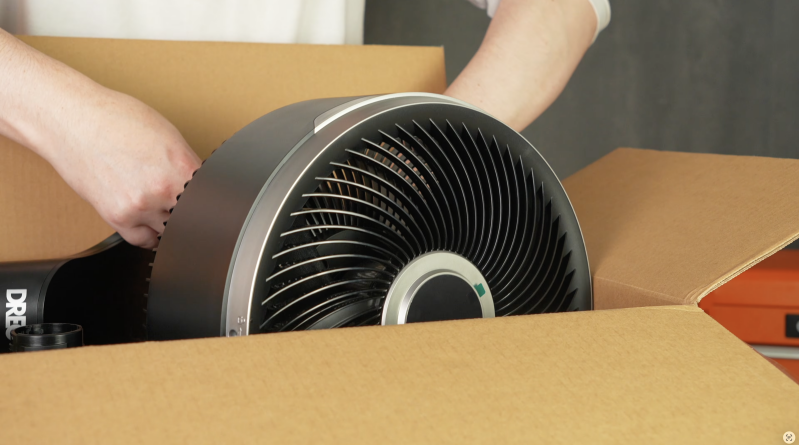
Inside the box, the setup is fairly complete and gives you everything you need to use the fan in either pedestal or tabletop mode.
You get:
- Dreo TurboPoly Fan 765S fan head
- Pedestal base
- Pedestal section
- Tabletop stand
- Power adapter
- Remote control
- Remote control holder
- 2 x AAA batteries
- Thumb screw
- User guide
- Important safety instructions and paperwork
The useful part here is that Dreo includes the tabletop stand in the box, so the 2-in-1 design is not something you need to buy extra accessories for. You can set it up as a taller fan for the floor or convert it into a smaller fan for a desk, kitchen worktop or side unit.

Design & Build Quality
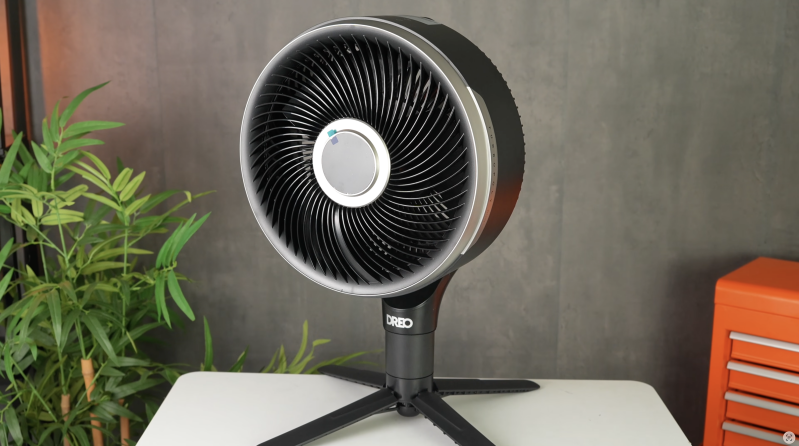
The first thing you notice is that the Dreo TurboPoly Fan 765S looks a lot more modern than a typical old-school pedestal fan.
It still looks like a fan, obviously. This is not some sculptural Dyson-style bladeless design that disappears into a designer living room. But it does have a clean, modern, slightly techy look that makes it feel more premium than a basic plastic fan from the supermarket or a no-name Amazon listing.
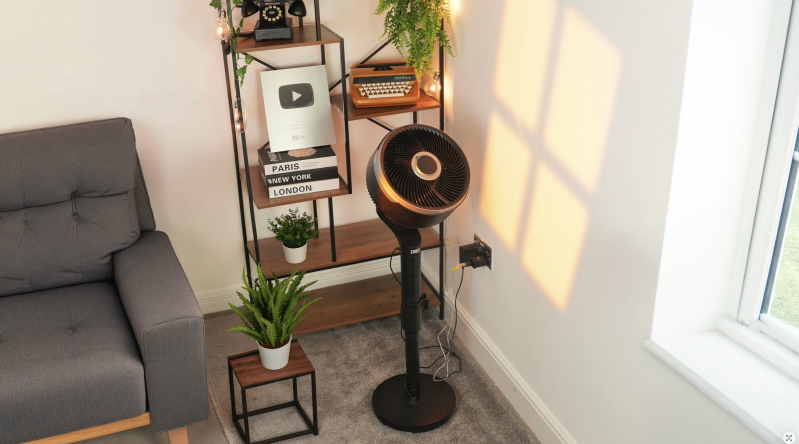
It looks tidy enough to leave out in a living room or home office without feeling like an eyesore. That matters more than people sometimes admit, because fans often end up sitting in visible spaces for weeks or months at a time during warmer weather.
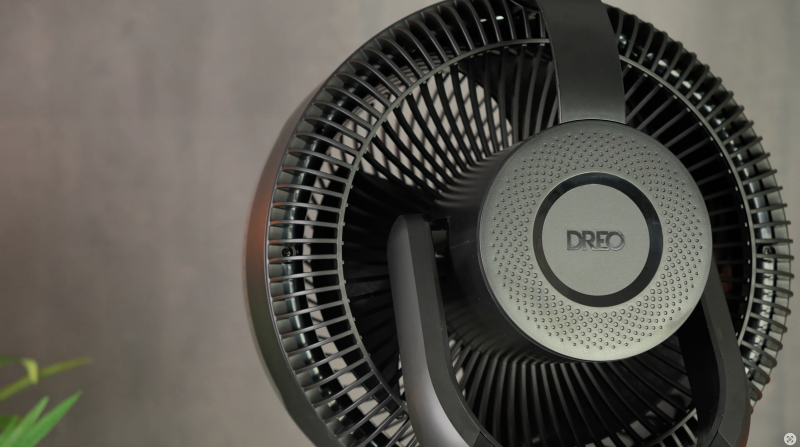
Build quality is good overall. It feels solid once assembled properly, and the base gives it a fairly planted feel. It does not feel indestructible, but it also does not feel flimsy. Because the fan head moves in multiple directions and the design converts between pedestal and tabletop formats, there are more physical parts here than on a very basic fan. That means setup matters.
You need to make sure everything is seated correctly, tightened properly and placed on a flat surface. If the fan is not fully locked together or it is sitting on an uneven floor, you may notice a bit of wobble. That is not unusual for a taller fan with motorised movement, but it is something to be aware of.
The overall impression is still positive. It feels like a proper smart appliance rather than a cheap seasonal fan you buy during a heatwave and forget about afterwards.
Setup & First Impressions
Setup is straightforward, but it is worth taking your time during the first few minutes.
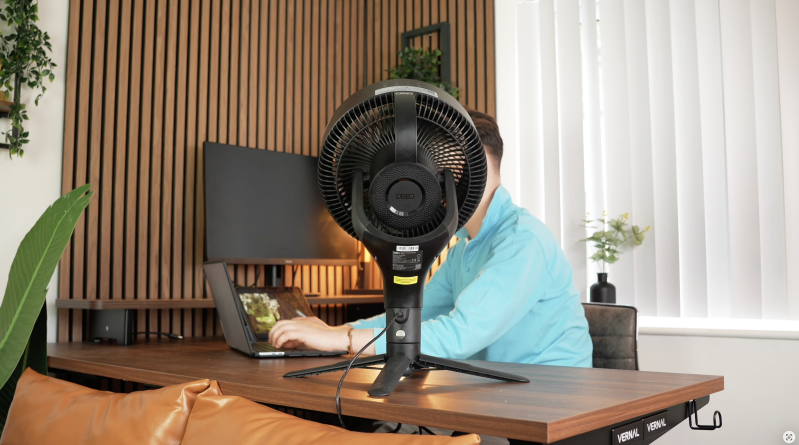
The main choice is whether you want to use it as a full pedestal fan or as the shorter tabletop version. As a pedestal fan, it sits at around 39 to 44 inches, so it works beside a sofa, bed, desk or in the corner of a room. As a tabletop fan, it is around 19.3 inches tall, which makes it better for desks, kitchen counters, bedside units or smaller spaces where you do not want a standing fan taking up floor space.
That flexibility is genuinely useful.
I would not say most people will switch between the two modes every single day. It is not difficult, but it is not instant either. You do need to physically change the setup, so it is not like pressing a button and watching it magically turn into a desk fan.
But if you want one fan that can do different jobs throughout the year, it makes a lot of sense. You could use it as a bedroom pedestal fan during summer, then move it onto a desk or worktop when you want more focused airflow in a smaller space. It also means you are not buying separate fans for different rooms if you do not need to.
The first impression is that Dreo has tried to make this feel like more than just a fan. The remote, the app support, the MotionSync control and the 3D oscillation all push it into more premium territory.
Airflow Performance
Airflow is where the Dreo TurboPoly Fan 765S really starts to justify itself.
Dreo claims up to 1,500 CFM of air volume and up to 120 ft of air reach. Those are big numbers for a home fan, and while most people are not going to test those figures scientifically in their living room, the real-world impression is that this thing can definitely move air.
The best way to describe it is that it feels more like an air circulator than a traditional fan.
A basic fan usually gives you a narrow stream of air. It feels good when it is pointed directly at you, but the rest of the room can still feel stale or warm. The TurboPoly 765S feels broader and more purposeful. It pushes air around the space rather than just firing a blast of air in one direction.
At lower speeds, it is gentle and comfortable. That is the setting range you will probably use most often in a bedroom, home office or living room when you just want the air to feel fresher without being battered by wind.
At higher speeds, especially turbo mode, it becomes much more forceful. You can feel it across the room, and it is genuinely useful when a space feels stuffy and you want to get the air moving quickly.
This is the main reason to consider it over a cheap pedestal fan. It is not just about having more power. It is about the way the airflow is distributed.
What a Fan Can and Cannot Do
It is worth being realistic here: the Dreo TurboPoly Fan 765S is not an air conditioner.
It does not refrigerate the air. It does not drop the actual room temperature in the same way an AC unit would. If your room is baking hot, the windows are closed and there is no cooler air source anywhere, this will not magically turn the room into a chilled hotel suite.
What it does is improve comfort.
It helps air move across your skin, which makes you feel cooler. It helps sweat evaporate more effectively. It can pull in cooler air from an open window. It can help circulate air around a room if you are using an air conditioner, dehumidifier or heating system. It can also stop a room from feeling stale when the air is just sitting there doing nothing.
That is what a good fan should do, and this one does it well.
So, if you are buying this expecting actual refrigerated cooling, you will be disappointed. But if you want strong, quiet, controlled airflow that makes a room feel more comfortable, the TurboPoly 765S makes a lot more sense.
3D Oscillation
The 3D oscillation is one of the best features on the fan.
A normal pedestal fan usually moves left and right. That is fine, but it is limited. The Dreo TurboPoly Fan 765S can move horizontally and vertically, which makes a much bigger difference than you might expect.
Dreo lists 150° horizontal oscillation, while vertical oscillation is shown as 120° in the UK specification table and 100° in some feature descriptions. Either way, the point is that the fan can move air up, down and across the room, rather than only sweeping side to side.
That matters because room air is not flat. Warm air rises, cooler air settles lower, and airflow behaves differently depending on where the fan is placed. Vertical movement helps mix the room more effectively.
In real life, this means the fan feels less harsh. Instead of a constant stream of air hitting your face, the room itself starts to feel like it has movement. It is more comfortable for longer use, especially if you are sitting at a desk, watching TV or trying to sleep.
For bedrooms, this is a big advantage. Direct airflow can become annoying after a while, especially if it dries your eyes or keeps hitting one side of your body. The 3D oscillation spreads the airflow more naturally.
It is one of the clearest differences between this and a cheaper fan.
MotionSync Remote
MotionSync is the headline clever feature.
The remote has motion-based control, so instead of repeatedly pressing buttons to change the fan direction, you can move the remote and guide where the airflow goes. In simple terms, you point and gesture, and the fan follows.
When it works well, it feels genuinely futuristic.
If you are sitting on the sofa and the airflow is slightly missing you, you do not need to get up or keep tapping directional controls. You can just guide the fan into place from where you are sitting. It is especially useful because the fan moves both horizontally and vertically, so being able to control direction more naturally makes sense.
That said, it is not perfect.
There is a little learning curve. If you move the remote too quickly, or you are too aggressive with the gesture, it can feel less precise than expected. It works best when you slow down and guide it properly rather than flicking your wrist and expecting instant perfection.
So, is it a gimmick? Not completely.
I would not buy the fan purely for MotionSync, but I also would not dismiss it. It is a clever extra that you may actually use more than expected. It makes the fan feel more premium, and in the right moment, it is genuinely convenient.
Remote, App and Smart Controls
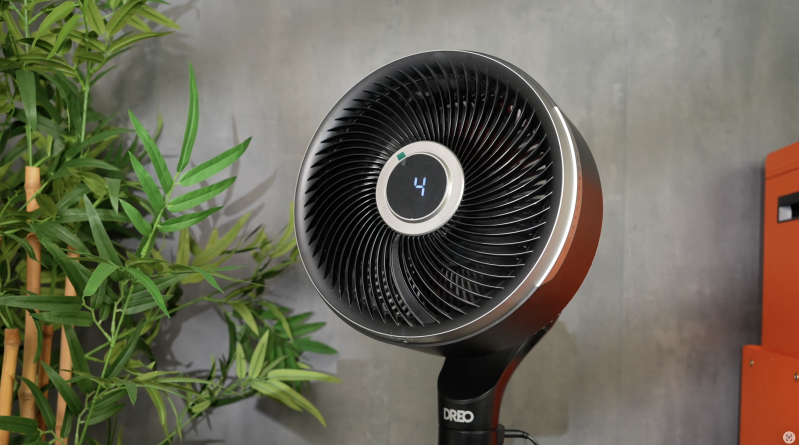
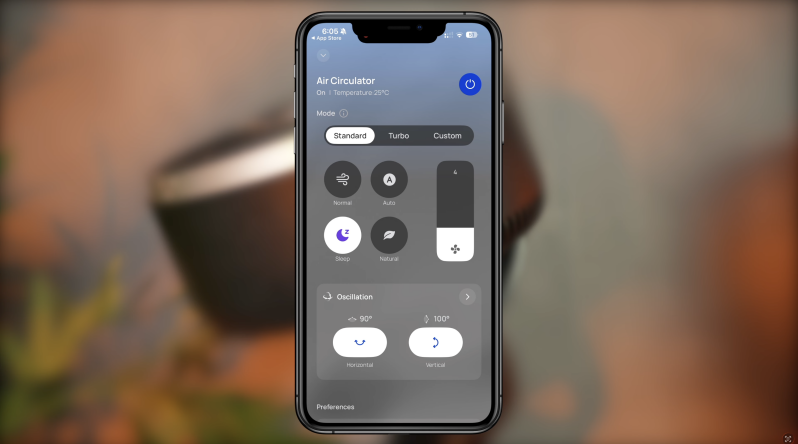
The Dreo TurboPoly Fan 765S gives you several ways to control it: on-device controls, remote control, the Dreo app and smart-home integration.
For most people, the remote will probably be the main control method. It is quick, simple and does not require opening your phone every time you want to change speed or direction.
The app becomes more useful if you want deeper control. You can adjust oscillation, set timers, change modes, tweak speed levels and manage the fan from another room. It also makes sense if you want schedules or routines, especially in a bedroom or office.
For example, you might want the fan to run gently while you fall asleep, switch off later, or start circulating air before you go into a room. That is where app control starts to feel genuinely useful rather than just being a tech gimmick.
Smart-home support is another important part of the story. Dreo announced native Matter support for the TurboPoly Fan 765S, making it one of the more interesting smart-home fans in this category. Matter support is useful because it should allow core controls to work across major smart-home platforms more easily.
There is a small caveat, though. Early coverage suggested Matter support was not fully enabled at launch and was expected through a later firmware update. Dreo later announced Matter support for the model, but if Matter is one of your main reasons for buying this fan, it is worth checking the current app and firmware status before purchase.
Also, not every advanced feature will necessarily be controlled through Matter. Some of Dreo’s proprietary features, such as MotionSync and deeper 3D airflow controls, are still likely to be best handled through the Dreo app.
That is not a deal-breaker, but it is worth knowing. Smart-home support is useful, but the Dreo app remains part of the full experience.
Speeds and Modes
The TurboPoly Fan 765S has 12 speed levels and six airflow modes.
That might sound like overkill, but with a fan this powerful, the extra speed control is useful. You do not always want a strong breeze. Sometimes you just want the slightest bit of airflow while working, sleeping or watching TV. Having more speed levels means you can fine-tune it rather than jumping between settings that are either too weak or too much.
The main modes include normal, auto, turbo, sleep, natural and custom options through the app.
Normal mode is the everyday setting. You choose a speed, and the fan does its thing.
Turbo is for when you want maximum airflow quickly. It is powerful, but it is also naturally louder, so it is not the mode you will want for quiet nighttime use.
Sleep mode is better for bedrooms, where you want lower noise and gentler airflow.
Natural mode is designed to feel less mechanical, varying the airflow so it feels more like a natural breeze rather than one fixed speed. This is one of those features that sounds small but can make the fan more comfortable over longer periods.
Auto mode uses temperature sensing to adjust the fan speed depending on the room. That is useful if you do not want to keep changing the settings manually.
The custom options through the app give you more control if you like tweaking things properly.
Noise Levels
Dreo claims the fan can operate as low as 20 dB. That should be understood as a minimum noise figure, not what it sounds like at full power.
At low speeds, it is genuinely quiet and well suited to bedrooms, offices and evening use. This is one of the areas where the fan feels properly considered. A powerful fan is not much use if you cannot stand having it on while you sleep or work.
At lower levels, the TurboPoly 765S can sit in the background without dominating the room. That makes it useful for working at a desk, watching TV or sleeping.
At turbo speed, it is a different story. It moves a lot more air, so of course you hear it more. That is not really a flaw; it is just physics. More airflow usually means more noise.
The important thing is that you get the choice. You can run it quietly when comfort matters most, then push it harder when the room needs a quick blast of airflow.
Bedroom Use
As a bedroom fan, the Dreo TurboPoly Fan 765S makes a lot of sense.
The low-speed noise is genuinely good, and the 3D oscillation stops the airflow from feeling too direct. That is important because a fan that feels nice for five minutes can become irritating after an hour if it is constantly hitting the same spot.
Sleep mode and the lower speeds are the ones you will probably use most at night. You get enough airflow to stop the room feeling stale without turning the fan into the main event.
The remote is also useful in bed. You can adjust speed, direction and mode without getting up, and MotionSync is handy if the airflow is slightly off.
There are a couple of small points to mention. Because the display is on the fan head, it may not always be facing you during oscillation. That can make it harder to see the current setting from certain angles. Also, if you are very sensitive to noise, remember that turbo mode is not the nighttime setting. It is powerful, but it is not silent.
Used properly, though, this is a strong bedroom fan.
Home Office Use
For a home office, the 765S is also a good fit.
A lot of smaller desk fans are either too weak or too direct. They cool one side of your face while the rest of the room still feels warm. The Dreo is better at circulating air around the space, which makes it more comfortable if you are working for long periods.
The tabletop mode is useful here if you have the space for it. At around 19.3 inches, it is bigger than a tiny desk fan, but it gives you much more airflow and control.
If you do not want it on the desk, pedestal mode works well beside a desk or in the corner of the room. With 3D oscillation, it can move air around without needing to be aimed directly at you all day.
The app control also makes more sense in a home office than you might expect. If you are in the middle of work and do not want to break focus, being able to adjust the fan from your phone or through a smart-home routine is convenient.
Living Room and Larger Room Use
In a living room, the TurboPoly Fan 765S feels more capable than a standard fan because of the wider oscillation and stronger airflow.
This is where the 1,500 CFM claim and long air reach become more relevant. You do not have to sit right in front of it to feel the benefit. It can sit in a corner or beside furniture and still help move air around the space.
That makes it better for shared rooms. Instead of one person getting blasted while everyone else gets nothing, the 3D movement can help spread airflow more evenly.
It is also useful if you have windows open and want to pull cooler air through the room, or if you are using it alongside an air conditioner or dehumidifier to distribute air more effectively.
It is still not a miracle machine. In a very hot room, it will not create cold air. But it does make the space feel fresher and more comfortable.
Everyday Usability
What I like most about the Dreo TurboPoly Fan 765S is that it feels useful in normal life.
Some smart home products feel like they exist mainly to show off features. This one does have a bit of that futuristic feel, especially with MotionSync, but the core experience is still practical. It moves air well, it is quiet at low speeds, it gives you plenty of control and it works in multiple room setups.
The remote is the quickest way to use it. The app is better for custom settings, schedules and smart-home use. The on-device controls are there when you need them. That combination works well.
There may be some small usability quirks. Some users have reported slight delays when using smart controls or the app. Others have found the 3D movement controls a little finicky until they got used to them. The display placement is also not perfect, because it can rotate away from you with the fan head.
None of those feel like major deal-breakers, but they are worth mentioning because this is a premium-priced fan. At this price, small details matter.
Matter and Smart Home Support
Matter support is one of the more interesting parts of the Dreo TurboPoly Fan 765S, especially for people already building out a smart home.
The idea behind Matter is that smart devices should work more easily across different ecosystems. So instead of being locked into one app or one assistant, core features can be controlled more consistently across supported platforms.
Dreo announced native Matter support for the TurboPoly Fan 765S in June 2026. That is a big deal because fans are often still a bit awkward in smart homes. Plenty of fans work through brand apps or voice assistants, but proper Matter support makes the 765S feel more future-facing.
However, there is an important practical note. Early reports said Matter support was delayed at launch and expected via firmware update. Dreo later announced native Matter support, so this appears to have been addressed, but buyers should still check the current firmware and app status before buying if Matter is a major priority.
Also, Matter may cover core controls, while the more advanced Dreo-specific features — such as detailed 3D oscillation and MotionSync — are still likely to live inside the Dreo app.
So, the smart-home side is a genuine strength, but it is not the only reason to buy this fan. The airflow and physical design still matter more.
Dreo TurboPoly Fan 765S vs TurboCool Misting Fan 765S
One thing worth clearing up is the name.
This review is about the Dreo TurboPoly Fan 765S, not the Dreo TurboCool Misting Fan 765S. Search results can sometimes mix them together because both are newer Dreo 765S cooling products.
The TurboPoly Fan 765S is a non-misting smart air circulator. It focuses on strong airflow, 3D oscillation, quiet operation, Matter support and the convertible tabletop/pedestal design.
The TurboCool Misting Fan 765S is a different type of product. It uses a water tank and misting system to create a stronger cooling sensation, especially in hot, dry conditions.
For most indoor, all-year airflow, the TurboPoly is probably the more practical choice. There is no water tank to fill, no misting maintenance and no added humidity. It is better if you want a smart fan for bedrooms, offices and living rooms.
The TurboCool Misting model makes more sense if you specifically want misting relief during hot weather and do not mind dealing with water refills and maintenance.
Dreo TurboPoly Fan 765S vs Cheaper Pedestal Fans
This is probably the comparison most buyers will actually make.
A cheap pedestal fan can cost a fraction of the price of the Dreo. It will move air. It might be enough if you just need something basic for a few hot days.
But the experience is very different.
A cheaper fan usually has fewer speeds, less refined airflow, louder operation, basic side-to-side oscillation and no smart features. It may also feel more plasticky, wobblier and less pleasant to use at night.
The Dreo TurboPoly Fan 765S gives you stronger airflow, better circulation, much wider movement, lower-speed quietness, smart controls, app features, MotionSync and the ability to switch between pedestal and tabletop use.
So, no, it is not the best option if your only goal is spending as little as possible. But if you use a fan often, the extra comfort and control may be worth it.
Dreo TurboPoly Fan 765S vs Shark or Dyson-Style Premium Fans
Against more premium brands like Shark or Dyson, the Dreo has a different appeal.
Dyson-style fans tend to win on bladeless design, air purification features and visual style. Some Shark models focus on portability, battery use, misting or clever hybrid features depending on the model.
The Dreo TurboPoly Fan 765S feels more focused on raw airflow, room circulation and smart control value. It may not have the same design prestige as a Dyson, and it does not purify air, heat the room or run cordless. But as a dedicated fan for moving air around a room, it is very capable.
For buyers who care mainly about cooling comfort and airflow per pound, the Dreo makes a strong case. For buyers who want air purification, bladeless aesthetics or multifunction heating, a Dyson-style product may still make more sense.
Real-World Experience
In real day-to-day use, the TurboPoly Fan 765S feels like the sort of fan you notice because it makes the room more comfortable, not because it constantly demands attention.
That is a good thing.
In a bedroom, it works best on lower speeds with 3D oscillation enabled. The airflow feels softer and more natural than a fixed stream pointed directly at you.
In a home office, it is useful because it can keep air moving without becoming distracting. You can put it in pedestal mode beside the desk or use the tabletop stand if you have enough surface space.
In a living room, the wider oscillation helps cover more of the space, which makes it better for shared use. It is not just one person getting all the breeze.
The strongest everyday feature is probably the combination of power and control. You can make it gentle, quiet and subtle, or you can turn it up and get a serious amount of air movement.
That flexibility is what makes it feel premium.
Things I Like
The airflow is genuinely strong. This does not feel like a weak fan dressed up with smart features.
The 3D oscillation is actually useful. It helps move air around the room rather than just blasting one spot.
The low-speed noise is good. That makes it much more realistic for bedrooms and offices.
The 2-in-1 design adds proper flexibility. Being able to use it as a pedestal or tabletop fan makes it more adaptable than a normal standing fan.
The remote is handy, and MotionSync is more useful than it sounds. It takes a little getting used to, but it is not just a gimmick.
The app makes sense because the fan has enough modes and movement options to justify deeper control.
The design looks modern and tidy without being too flashy.
Things to Keep in Mind
It is expensive compared with a basic fan. You are paying for airflow performance, smart controls, flexible setup and better oscillation.
It is not an air conditioner. It makes you feel cooler by moving air, but it does not actively chill the room.
Turbo mode is louder. The 20 dB claim applies to low-speed operation, not maximum power.
MotionSync takes practice. It is clever, but not perfectly precise if you move the remote too quickly.
The app and smart-home features may be unnecessary for some people. If you only want simple on/off airflow, you may not use half of what this fan can do.
The display placement could be better. Because it is on the moving head, it may not always face you.
Long-term reliability is still hard to judge because this is a relatively new 2026 product.
Pros
- Powerful airflow with up to 1,500 CFM claimed output
- Long 120 ft claimed air reach
- Feels more like a room air circulator than a basic fan
- 3D oscillation helps spread airflow naturally
- 150° horizontal oscillation
- Vertical oscillation for better whole-room air movement
- Works as both a pedestal fan and tabletop fan
- Quiet at low speeds, making it useful for bedrooms
- 12 speed levels give excellent control
- Six airflow modes, including sleep, turbo, natural and auto
- MotionSync remote is clever and genuinely handy
- App control adds useful scheduling and customisation
- Matter support gives it stronger smart-home appeal
- Modern design looks good enough for visible spaces
- Good option for bedrooms, home offices and living rooms
Cons
- Expensive compared with basic pedestal fans
- Not a replacement for air conditioning
- Turbo mode is naturally louder
- MotionSync has a learning curve
- Smart controls may feel unnecessary for some buyers
- Switching between pedestal and tabletop modes takes manual adjustment
- Display can be harder to read when the head rotates away
- Matter support had some early rollout confusion, so buyers should check firmware/app status
- New product, so long-term durability data is still limited
- Rare user reports mention possible rattling or small smart-control delays
Who Is This For?
The Dreo TurboPoly Fan 765S is best for people who use a fan regularly and want something more comfortable, quieter and smarter than a basic model.
It is a good fit for bedrooms, home offices, living rooms and smart-home setups. It suits anyone who wants strong airflow without always having a direct blast aimed at them. It also works well for people who want one fan that can move between different roles, because the tabletop and pedestal modes make it more flexible.
It is especially good if you care about low-speed quietness, wide oscillation and room circulation.
It is less suited to people who just want the cheapest possible fan, anyone expecting air-conditioning-style cooling, or buyers who dislike apps and smart-home features.
Final Verdict
The Dreo TurboPoly Fan 765S is one of those products that makes more sense once you use it properly.
At first glance, it is easy to look at the price and think, “That is a lot for a fan.” And honestly, it is. If you only need something cheap to survive a couple of warm days, this probably is not the fan to buy.
But if you care about comfort, airflow quality, quiet operation and smart control, it starts to justify itself much more clearly.
The airflow is strong, the 3D oscillation makes a real difference, and the ability to use it as either a pedestal or tabletop fan gives it more flexibility than most standard fans. The MotionSync remote sounds a bit silly on paper, but it is actually useful once you get used to it. The app and smart-home features will not matter to everyone, but for the right buyer, they add real convenience.
The main thing is to understand what this is and what it is not. It is not an air conditioner. It will not drop the actual room temperature like a refrigerated cooling system. But it will make a warm or stuffy room feel far more comfortable by moving air properly.
For bedrooms, offices, living rooms and smart-home users, the Dreo TurboPoly Fan 765S feels like a proper upgrade over a normal fan. It is pricey, but it is also powerful, flexible and genuinely well thought out.
If you want a basic fan, save your money. If you want a premium smart air circulator that can properly move air around a room, this is a very strong option.
Watch the full cinematic video review on Gadget Crunch’s YouTube channel.
Add comment
Comments