

INTRODUCTION
Smart homes are meant to make life easier. In theory, everything should feel simple: lights, heating, cameras, doorbells, locks, plugs, scenes and routines all working together neatly from your phone or voice assistant.
In real life, it often feels messier than that.
You end up with several different apps, a pile of smart hubs, a mix of Wi-Fi and Zigbee devices, voice assistants that do some things well but not everything, and at least one person in the house who refuses to use any of it because it feels like too much effort. That is the point where a dedicated home control centre starts to make sense.
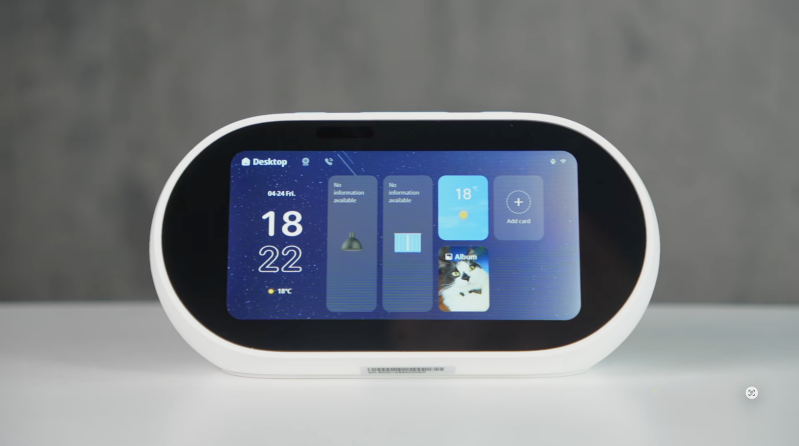
The MOES Native Tuya AI Desktop Smart Center is designed to be exactly that: a compact desktop control point for a Tuya smart home. It combines a 5-inch touchscreen, Alexa voice control, physical shortcut buttons, built-in gateway functionality, IR control for older appliances, live camera and doorbell viewing, Bluetooth speaker functionality and AI-focused smart home control into one small device. MOES describes the Kickstarter project as an all-in-one AI desktop centre with touch, voice, gateway, IR, live video and premium sound.
The version tested here is a pre-release unit, so the software is not final. MOES says the retail version will receive further optimisation and ongoing firmware updates. That matters, because a product like this lives or dies by software polish, ecosystem support and long-term reliability.
Even in this pre-release state, though, the concept is strong. If your home already uses Tuya-compatible lights, plugs, switches, sensors, cameras or doorbells, this could become the shared control point that makes the whole smart home feel less like a phone app and more like a normal household appliance.
QUICK SUMMARY
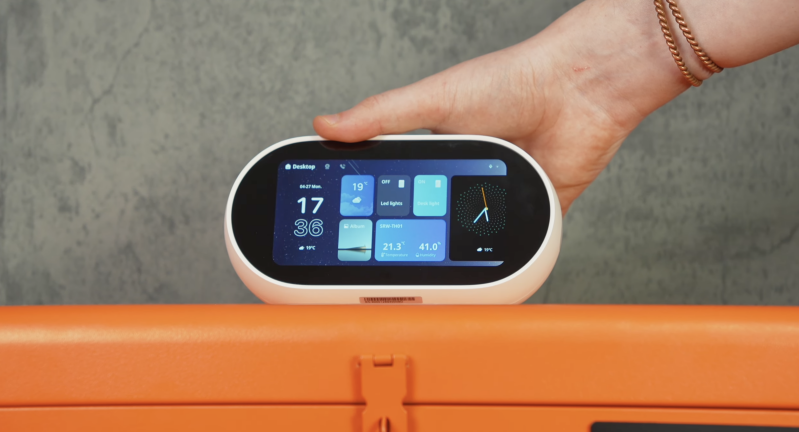
The MOES Native Tuya AI Desktop Smart Center is a smart home dashboard first and a speaker second. Its biggest strength is reducing friction. Instead of unlocking your phone, opening an app, finding the right room and then tapping a device, you can leave this on a desk, sideboard, kitchen counter or bedside table and use it as a dedicated home control surface.
For Tuya-based homes, the experience makes a lot of sense. You get touchscreen control, Alexa voice commands, physical buttons for scenes, built-in gateway support for Tuya devices, IR control for older appliances and live viewing from compatible cameras or doorbells.
It is not for everyone. If your smart home is built around Apple HomeKit, Google Home, SmartThings, Home Assistant or another ecosystem, the value depends heavily on whether you are willing to bring Tuya into the centre of your setup. It is also a Kickstarter product, and the tested unit is pre-release, so buyers should be realistic about software maturity and final retail performance.
But as a practical desktop smart home controller for a Tuya-first household, this is one of the more genuinely useful ideas in the category.
WHAT’S IN THE BOX
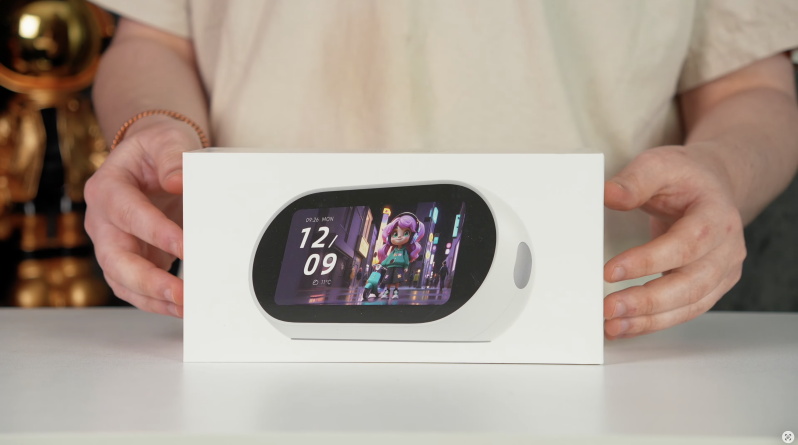
The exact final retail package may vary because this is currently tied to a Kickstarter campaign and the tested version is pre-release. Based on the supplied review unit and campaign positioning, buyers should expect the core package to include:
- MOES Native Tuya AI Desktop Smart Center
- Power cable or power adaptor
- Basic user documentation
- Setup information
Because the product is being launched through Kickstarter, bundle contents, early-backer packages and accessory inclusions may vary. MOES and campaign-tracking pages describe the project as an all-in-one AI desktop centre with touch, voice, gateway, IR, live video and premium sound, but final box contents should be checked against the specific pledge tier before backing.
DESIGN & BUILD QUALITY
The MOES Desktop Smart Center is designed to live somewhere visible. That is important, because this type of product only works if it is easy to access. If it ends up hidden in a drawer or tucked away behind a router, the whole point disappears.
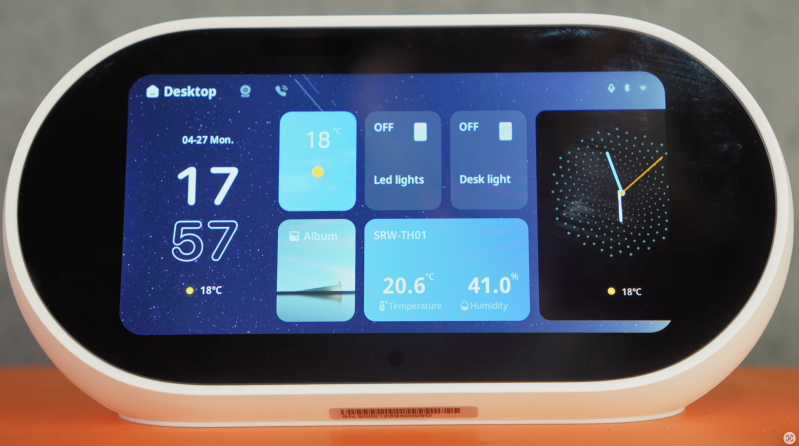
The 5-inch display is compact rather than tablet-sized, and that is the right decision for this kind of device. It is not meant to be a full entertainment screen or a large wall-mounted control panel. It is meant to sit on a desk, kitchen counter, bedside table, sideboard or shelf and give you quick access to your most-used smart home functions.
The overall design feels more like a household controller than a typical smart speaker. You have the screen for visual control, physical buttons for immediate actions, and voice control for hands-free commands. That combination matters because not everyone interacts with a smart home in the same way.
Some people like voice. Some prefer touch. Some want physical buttons. A good household controller should not force one method, and this is where the MOES unit feels more thoughtful than a basic smart display.
The screen size also keeps it discreet. It is large enough for controls, camera previews, scenes and quick information, but not so big that it dominates a room.
SETUP & FIRST IMPRESSIONS
Setup depends massively on whether you are already using Tuya.
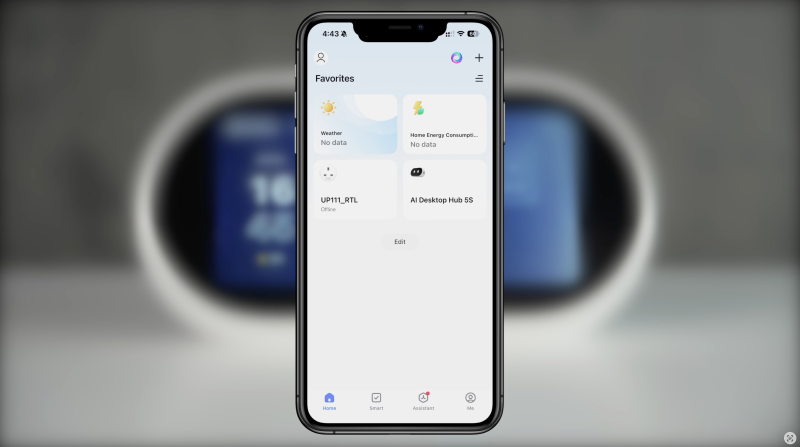
If your home is already filled with Tuya-compatible bulbs, plugs, switches, sensors, thermostats, curtains, cameras or doorbells, the Smart Center makes immediate sense. You are not starting from scratch. You are bringing those devices into a shared control point and using the MOES unit as the everyday interface.
That is exactly how this product should be approached. Pair and configure devices where needed, then use the Smart Center as the place you control them day to day.
If you are not already in the Tuya ecosystem, the setup decision becomes more complicated. You need to ask whether you actually want Tuya to become the backbone of your smart home. MOES markets the product as native Tuya-focused, and the Kickstarter listing highlights built-in Zigbee and Bluetooth gateways plus infrared support for unifying devices. That is great if Tuya is your main ecosystem, but less compelling if your home already revolves around another platform.
The first impression once configured is that the device makes smart home control feel more accessible. Walking up to a screen and tapping a scene feels easier than unlocking your phone and digging through apps. That sounds like a small improvement, but smart home products are all about reducing tiny bits of friction.
When control is easier, people actually use it.
FEATURES & PERFORMANCE
5-Inch Touchscreen Control
The 5-inch touchscreen is the heart of the product.
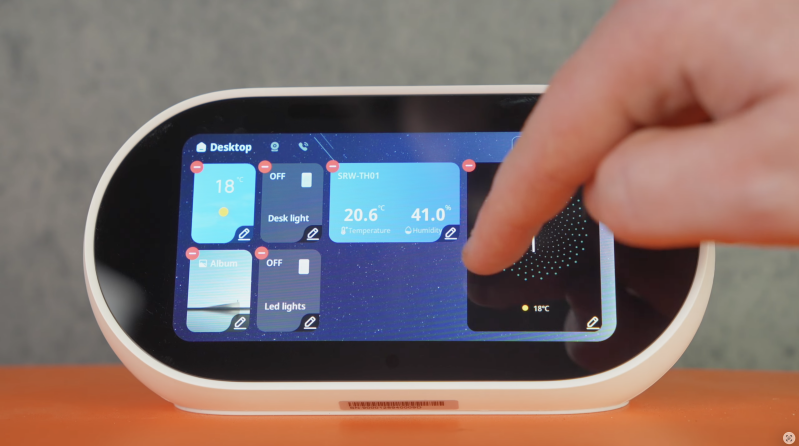
In use, it feels quick and responsive. Taps register cleanly, swipes feel natural, and the interface makes sense when arranged around your actual home rather than a generic device list.
The best approach is to customise the main screen around the things you use every day. That might include living-room lights, heating, curtains, desk lamp, hallway scene, doorbell view, camera shortcut, “movie mode”, “good night” or “all lights off”.
That is where the product becomes genuinely useful. It stops feeling like another smart gadget and starts feeling like a shared household control panel.
The display is not designed for watching long videos or browsing content. It is a control screen. For that purpose, the size works well. It gives you glanceable information and fast access without taking up too much room.
Native Tuya Integration
This is the biggest reason to care about the MOES Smart Center.
Tuya powers a huge number of smart home devices across lighting, plugs, switches, sensors, locks, curtains, thermostats and more. The challenge is that Tuya-based homes can still become fragmented if devices are spread across different rooms, automations and interfaces.
The MOES Smart Center gives that ecosystem a dedicated physical controller.
The Kickstarter listing describes the product as a native Tuya AI desktop smart centre with built-in Zigbee and Bluetooth gateways, plus IR support. That means the product is clearly aimed at users who already own, or plan to own, a lot of Tuya-compatible hardware.
For that audience, it makes far more sense than a generic smart display. A standard Alexa smart display might handle voice commands well, but it is not necessarily designed as a Tuya-first dashboard. The MOES unit is.
Built-In Gateway Functionality
The built-in gateway is one of the most important practical features.
A smart home can quickly become messy when every product needs its own bridge. One hub for lights, another for sensors, another for curtains, another for switches. The MOES Smart Center aims to reduce that by acting as a gateway for Tuya-compatible devices using Wi-Fi, Zigbee and Bluetooth support.
That does not mean it will replace every hub in every home, and compatibility always needs to be checked device by device. But for Tuya users, having gateway functionality built into the same device as the control screen is a major advantage.
It makes the product feel less like an accessory and more like part of the smart home infrastructure.
IR Control for Older Devices
The built-in IR control is a genuinely useful addition.
Not everything in a home is smart. Many TVs, fans, air conditioners, heaters and older appliances still rely on infrared remotes. With IR support, the MOES Smart Center can bring some of those older devices into the same control experience.
That could mean turning on an older TV, controlling air conditioning, adjusting a fan or replacing a remote that normally lives somewhere down the side of the sofa.
This matters because smart homes rarely become smart all at once. Most homes are a mixture of old and new devices. IR control helps bridge that gap.
Alexa Voice Control
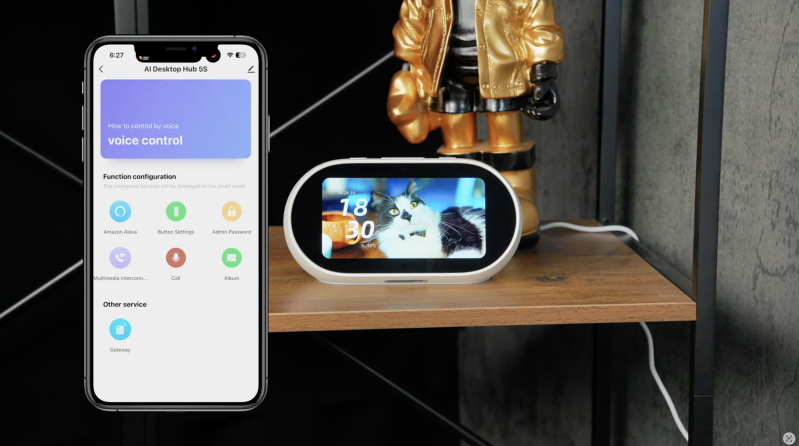
Alexa support makes the device more flexible.
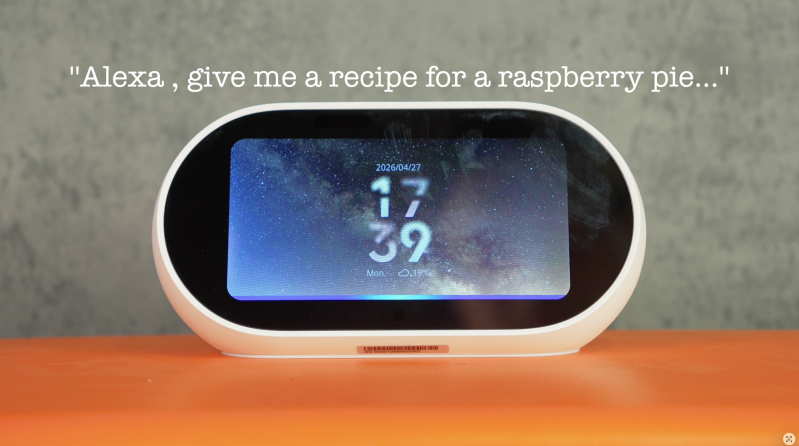
Voice control works for typical Alexa tasks: smart home commands, lights, routines, reminders, timers, weather and general assistant-style requests. In the supplied testing, commands such as turning a desk light on and off, asking for a recipe and setting reminders worked as expected.
The key point is that Alexa is not the only way to use the device. It is one layer.
That is important because voice control is brilliant in some moments and awkward in others. If you are cooking, holding something, or walking into a room, voice is convenient. If someone is asleep, music is playing, or you simply do not want to talk to a device, touch or physical buttons may be better.
The MOES unit succeeds because it gives you all three: voice, touch and buttons.
Physical Buttons & Quick Actions
The physical buttons are a surprisingly important part of the experience.
On paper, they sound basic. In practice, they make the device more immediate and more household-friendly.
You can map buttons to quick actions such as:
- All lights off
- Movie mode
- Good night
- Desk setup
- Heating adjustment
- Curtain close
- Morning scene
- Security mode
This is useful for anyone who does not want to use apps or voice assistants. A guest, partner, child or less tech-focused household member can press a button and trigger the same automation.
That matters because smart homes often fail socially, not technically. One person sets everything up, and everyone else finds it annoying. Physical shortcuts help solve that.
They also make certain commands faster than touchscreen navigation. Pressing one button for “all off” is easier than opening a page, finding a scene and tapping it.
Camera & Doorbell Viewing
The Smart Center can display compatible cameras and doorbells, making it useful as a small monitoring screen.
This is best thought of as one-way viewing rather than full video communication. The supplied script makes clear that the device does not have a built-in camera, and the live view is for compatible camera or doorbell feeds. That means it is more of a dashboard and monitor than a video calling device.
For real homes, that still has value. You could leave it in a kitchen or office and quickly check a doorbell, gate camera, baby monitor-style feed or indoor security camera without opening your phone.
Again, the value depends on compatibility. If your existing cameras are Tuya-compatible, this could be genuinely handy. If your cameras are locked into another ecosystem, you may not get the same benefit.
Speaker & Bluetooth Audio
The speaker is not the main reason to buy this device, but it makes the product nicer to live with.
Being able to use it as a compact desktop speaker over Bluetooth gives it a second purpose. You can play music, podcasts or background audio while working, cooking or relaxing.
Sound quality is good enough for casual listening. It is not replacing a dedicated hi-fi speaker, Sonos setup or premium smart speaker, but that is not really the point. The speaker makes the Smart Center feel more like a home appliance rather than a static control panel.
That extra usefulness matters. Products that sit visibly in a room need to justify their space. The speaker feature helps.
EVERYDAY SMART HOME EXPERIENCE
The strongest part of the MOES Smart Center is not one headline feature. It is the way several small conveniences add up.
Walk into a room. Tap one button. The lights change. The heating adjusts. The curtains move. You check a camera. You set a timer. You play some audio. You turn off the desk lamp. You do not unlock your phone once.
That is the appeal.
A phone is powerful, but it is personal. A smart home controller is shared. Anyone in the house can use it, and it stays in the same place. That makes it feel more like a light switch or thermostat than another gadget.
For smart homes, that distinction is important. The easier the system is to access, the more natural it becomes.
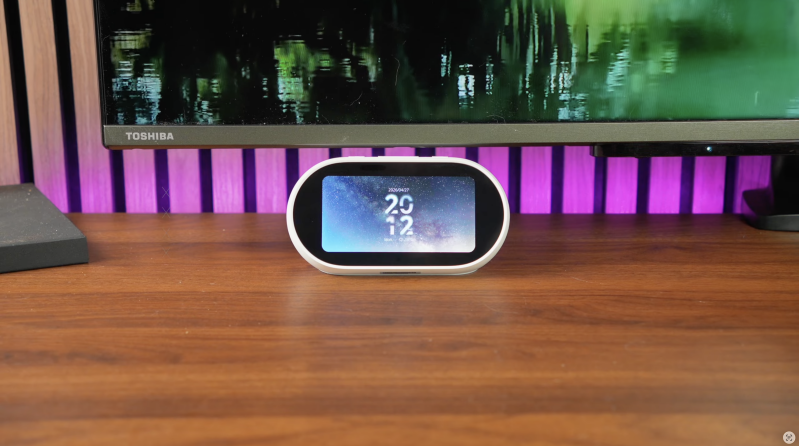
In a home office, it can sit on a desk and control lights, plugs, reminders and background audio. In a kitchen, it can handle timers, recipes, music, lighting and doorbell views. In a hallway or living room, it can become a central scene controller.
It is not trying to replace your phone completely. It is trying to reduce how often you need to reach for it.
SOFTWARE EXPERIENCE & PRE-RELEASE LIMITATIONS
Because the tested model is pre-release, software needs to be discussed carefully.
The touchscreen experience is already responsive, and the core control concept works. However, final performance may change by the time retail units ship. MOES has said the retail version will include further optimisation and ongoing firmware updates, according to the supplied review context.
That is encouraging, but buyers should always be careful with Kickstarter products. Crowdfunded hardware can change before delivery, software roadmaps can slip, and promised features may arrive later than expected.
The campaign itself is active on Kickstarter and has been tracked by third-party campaign sites as a funded project. Kicktraq listed the campaign as active from 16 April 2026 to 16 May 2026, with funding exceeding its goal at the time shown.
That does not remove the usual Kickstarter risk. It simply means the product has public campaign momentum.
The safest way to view it is this: the hardware concept is strong, and the tested experience is promising, but final software polish should remain one of the main things to watch.
ECOSYSTEM CONSIDERATIONS
The MOES Smart Center is very much a Tuya-first product.
That is not a weakness if you are already using Tuya. In fact, it is the whole reason the product makes sense. If your home has Tuya bulbs, plugs, switches, sensors, thermostats, cameras and curtains, this could become the easiest way to bring them together.
But if your home is built around Apple Home, Google Home, Samsung SmartThings, Home Assistant or Matter-first devices, the value becomes less straightforward.
You may still find ways to integrate parts of your setup, but the cleanest experience will almost certainly be for Tuya users.
That is the key buying decision. Do not buy this just because you want a smart display. Buy it because you want a Tuya-focused home control centre.
KICKSTARTER & BUYER CAUTION
The product is being offered through Kickstarter, so there are a few realities worth mentioning.
Kickstarter is not the same as buying a finished product from Amazon or a high-street retailer. Delivery timelines, final specifications, software features and post-launch support can all change. The campaign may offer early-backer pricing, but that usually comes with more risk than waiting for a final retail release.
The project page describes it as a world-first native Tuya AI desktop smart centre with touch, voice, gateway, IR, live video and premium sound. That pitch is strong, but buyers should still back based on what the product clearly does today, not only what it may do after future updates.
The tested pre-release unit suggests the idea is practical. Still, final judgement will depend on retail firmware, compatibility, speed, update cadence and how well MOES supports the product after launch.
PROS
- Strong concept for Tuya-based smart homes
- 5-inch touchscreen is useful for quick control
- Touch, voice and physical buttons all supported
- Built-in gateway functionality reduces hub clutter
- IR control helps bring older appliances into the setup
- Alexa voice control works for common smart home tasks
- Physical shortcut buttons make it more household-friendly
- Compatible camera and doorbell viewing is useful
- Bluetooth speaker feature adds everyday value
- Compact enough for desks, sideboards and kitchens
- Layout can be organised around your actual home
- Makes smart home control feel less phone-dependent
- Promising product for renters and families using Tuya devices
CONS
- Best suited to Tuya users, not every smart home ecosystem
- Tested unit is pre-release, so software is not final
- Kickstarter backing carries normal crowdfunding risk
- No built-in camera
- Camera viewing is monitoring-focused rather than full video calling
- Speaker is useful but not a replacement for a dedicated premium speaker
- Value depends heavily on device compatibility
- Users deep in Apple Home, Google Home or Home Assistant may not get the same benefit
- Final retail performance may differ from the pre-release experience
WHO IS THIS FOR?
The MOES Native Tuya AI Desktop Smart Center is best for people who already own, or plan to own, a lot of Tuya-compatible smart home devices.
It makes most sense for:
- Tuya smart home users
- Households with lights, plugs, switches, sensors and cameras
- People who want a shared smart home controller
- Families where not everyone wants to use an app
- Home office users wanting desk-based control
- Kitchens, bedrooms, sideboards and living rooms
- People wanting Alexa, touch and physical controls in one place
- Anyone trying to reduce smart home friction
It is less suitable for:
- Apple HomeKit-first homes
- Google Home-only users
- Home Assistant users wanting deep local control
- Buyers wanting a large entertainment smart display
- Users expecting a finished retail product with no crowdfunding risk
- People with few or no Tuya-compatible devices
FINAL VERDICT
The MOES Native Tuya AI Desktop Smart Center is a genuinely sensible idea.
Smart homes often fail because they become too dependent on phones, apps and individual users knowing where everything lives. A dedicated desktop controller solves that problem in a simple way. It gives the household one obvious place to control scenes, lights, devices, routines, cameras and voice commands.
For Tuya-based homes, this could be genuinely useful. The touchscreen is responsive, the physical buttons make daily actions faster, Alexa adds hands-free control, IR support helps with older devices, and the speaker feature makes it feel more like something that belongs in a room rather than a pure control panel.
The limitations are clear. It is Tuya-first, the tested unit is pre-release, Kickstarter backing comes with risk, and final software polish will matter enormously. If your home is built around another ecosystem, this may not be the right fit.
But if you already use Tuya devices and want a more natural way to control them without constantly reaching for your phone, the MOES Desktop Smart Center is one of the more practical smart home control concepts worth watching in 2026.
Watch the full cinematic video review on Gadget Crunch’s YouTube channel.
Add comment
Comments