

INTRODUCTION
Desktop laser engravers usually fall into two camps. Some are great for wood, leather and acrylic. Others are built for metal marking. Finding one compact machine that can handle both properly, switch between laser types without swapping heads, and still remain portable enough for on-site work is much rarer.
That is where the LaserPecker LP5 comes in.
The LP5 is a premium dual-source galvo laser engraver combining a 20W 1064nm fibre laser for metals with a 20W 450nm blue diode laser for organic materials such as wood, leather, acrylic, paper, rubber and stone. It is designed for creators, small businesses, craft sellers and workshop users who need speed, flexibility and a compact footprint rather than a large gantry-style machine.
At a UK price starting around £2,499 for the standard bundle and rising depending on accessories, this is not a casual impulse buy. But after using it across wood, anodised aluminium and larger projects with the slide extension, the LP5 starts to make sense as a serious production tool rather than a hobby-only gadget.
QUICK SUMMARY
The LaserPecker LP5 is fast, compact and impressively flexible. Its biggest strength is the dual-laser design, allowing it to engrave both metals and non-metals from one machine. The 20W fibre laser is ideal for metal marking, while the 20W diode handles wood and other organic materials with clean results.
Setup is refreshingly simple, the Design Space software is approachable, and accessories such as the rotary and slide extension make it far more useful for small batch work. It is expensive, and LightBurn support may not satisfy every advanced user, but for creators and small businesses needing one compact machine for varied engraving jobs, the LP5 is a very capable option.
WHAT’S IN THE BOX
The exact contents depend on the bundle selected. The supplied review unit is the Business Bundle, while LaserPecker’s UK listing also offers Standard, All-in-One, Safety, Portable and Deluxe bundles.
The Business Bundle typically includes:
- LaserPecker LP5 laser unit
- Electric stand
- Base plate
- Conical protective cover
- Exhaust pipe and pipe adapter
- Rotary extension
- Slide extension
- Power cable
- Power adapter
- USB cables
- Safety goggles
- Security key
- Tool box
- User manual
- L-shaped positioners
- USB flash drive
- Starter material pack
The standard package includes the LP5, stand, base plate and protective cover, while higher bundles add accessories such as the desktop air purifier, LP5 Safety Enclosure, rotary extension, slide extension and PowerPack Plus.
DESIGN & BUILD QUALITY
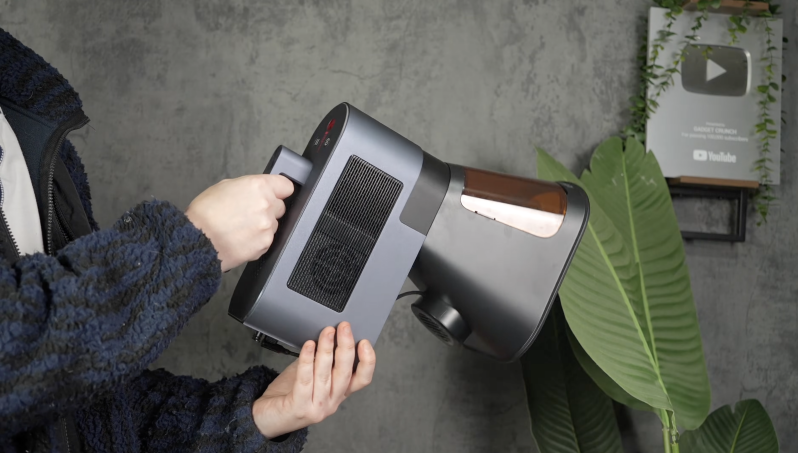
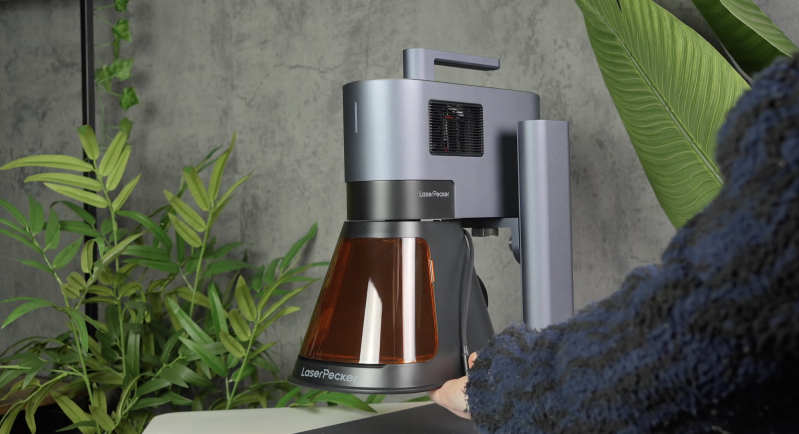
The LP5 feels like a premium machine from the moment it is assembled. The main laser unit is compact, the electric stand is sturdy, and the overall layout is far smaller than a traditional gantry laser system.
LaserPecker lists the laser unit at 255 x 98 x 183mm, with the electric stand measuring 198 x 286 x 323mm. The full setup with the laser unit, stand and conical protective cover weighs around 6.02kg, making it genuinely portable between rooms, workshops or on-site jobs.
That portability is a major part of the appeal. The open-base design means you can position the machine over larger surfaces where a fixed flatbed would be limiting. For plaques, signage, chopping boards, product personalisation and awkward surfaces, that flexibility matters.
The accessory ecosystem is also a huge part of the design story. The slide extension increases the working area from 120 x 160mm to 160 x 300mm, while the rotary extension allows cylindrical engraving on items such as bottles, tumblers, jewellery and rounded gifts.
The optional LP5 Safety Enclosure is worth serious consideration, especially for shared spaces. The main unit itself does not include a built-in camera; that camera-based positioning feature comes through the Safety Enclosure, which also upgrades the setup to a more enclosed Class 1-style workflow.
SETUP & FIRST IMPRESSIONS
Setup is one of the LP5’s strongest qualities.
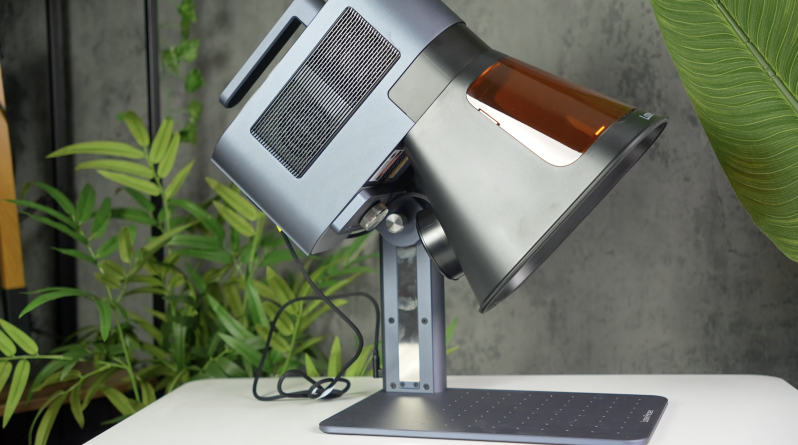
Assembly starts by attaching the stand to the base plate using the supplied screws and hex key. The laser unit then slides onto the cantilever arm and tightens securely with a knob. The protective cover attaches with simple alignment tabs and screws, while the exhaust hose can be connected to a purifier or routed towards a window vent.
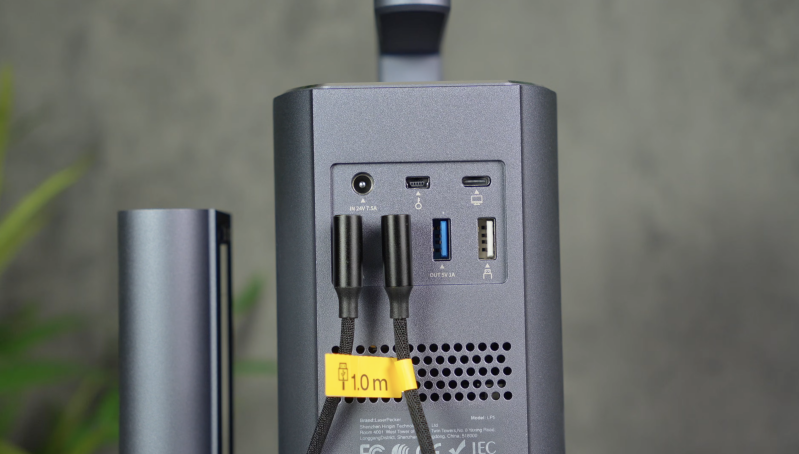
After that, it is largely a case of plugging in the cables and inserting the security key, which acts as a safety switch.
For the first run, USB-A to USB-C gives the most direct connection to a computer, although Wi-Fi quickly becomes the more convenient option once configured. In day-to-day use, wireless control feels natural and avoids cluttering the workspace.
Focusing is also very simple. You place a scrap material on the base plate, enable the dual red-dot preview, then raise or lower the electric stand until both dots merge into one. LaserPecker’s guidance places the focal distance at around 152mm, give or take a small margin, but in practice the red-dot system makes the process easy to understand.
FEATURES & PERFORMANCE
Dual 20W Laser System
The LP5’s headline feature is its dual 20W setup.
The 20W 1064nm fibre laser is designed for metals such as stainless steel, aluminium, brass, silver, titanium, platinum and some plastics. The 20W 450nm blue diode laser handles wood, acrylic, leather, glass, stone, paper and rubber.
That combination gives the LP5 a level of material flexibility that most compact desktop lasers simply cannot match. Instead of physically changing laser modules, you choose the fibre or diode source inside LaserPecker Design Space or the compatible software workflow.
For small businesses, that matters. One machine can move from engraved jewellery to branded tumblers, then over to wooden signage or chopping boards without needing a completely different engraver.
Speed & Precision
The LP5 uses a galvo system rather than a traditional moving gantry, and that makes a big difference for smaller engravings, serial numbers, logos and batch work.
LaserPecker rates the maximum working speed at up to 10,000mm/s, with positioning precision listed as fine as 0.0027mm. It is worth noting that this top speed applies to certain line engraving scenarios rather than every engraving mode, but the LP5 still feels properly quick in real use.
For logos, small text and repeated designs, the speed advantage is obvious. Mirror movement is simply faster and more efficient than dragging a large gantry across the work area.
The fibre laser spot size is listed at 0.06 x 0.06mm, while the diode laser spot size is 0.08 x 0.1mm, which helps explain why fine details and crisp text come out so well when the settings are dialled in.
Software Experience
LaserPecker Design Space is the best software route for most users. It is available across Windows, macOS, iOS and Android, and it feels approachable enough for beginners while still offering enough control for regular production work.
The software supports common formats such as SVG, DXF, PNG, JPG and BMP on desktop, with mobile support for formats including G-code, JPG, PNG, BMP and SVG.
LightBurn compatibility is officially listed, but there is an important caveat: not every LP5 feature appears to be as deeply integrated there as it is in LaserPecker’s own software. For basic workflows, LightBurn may be fine. For full LP5 functionality, Design Space remains the safer choice.
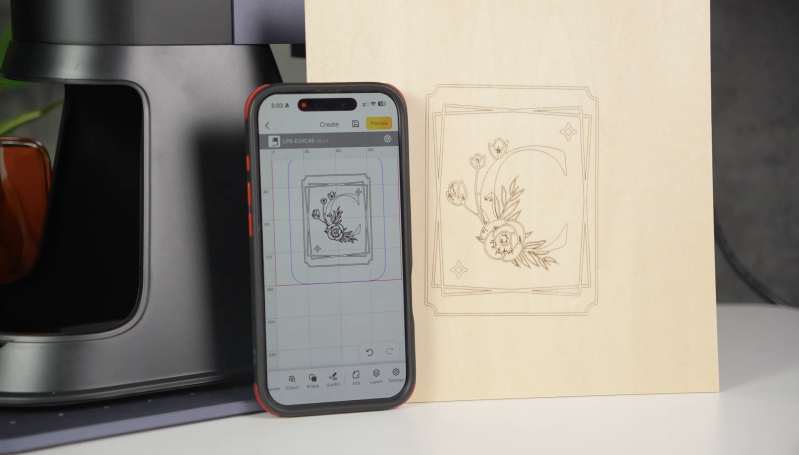
The rectangle, outline and centre-point previews are genuinely useful, especially when aligning artwork on irregular surfaces. For beginners, that preview system removes a lot of guesswork.
Wood Engraving
Wood engraving with the LP5’s diode laser is straightforward and satisfying, although results depend heavily on the wood species and finish.
Light, fine-grain woods such as maple, birch and beech tend to produce the cleanest contrast and sharpest detail. Oak and walnut create a darker, moodier look, but their more open grain can soften fine text.
Once the material is level and the correct settings are selected, the results look tidy and controlled. Starting with a single pass is usually best for crisp edges, with a second pass available when a deeper or darker finish is needed.
For chopping boards, signs, decorative panels and personalised gifts, the LP5 feels quick, accurate and easy to repeat once dialled in.
Metal Engraving
The fibre laser is where the LP5 really separates itself from diode-only machines.
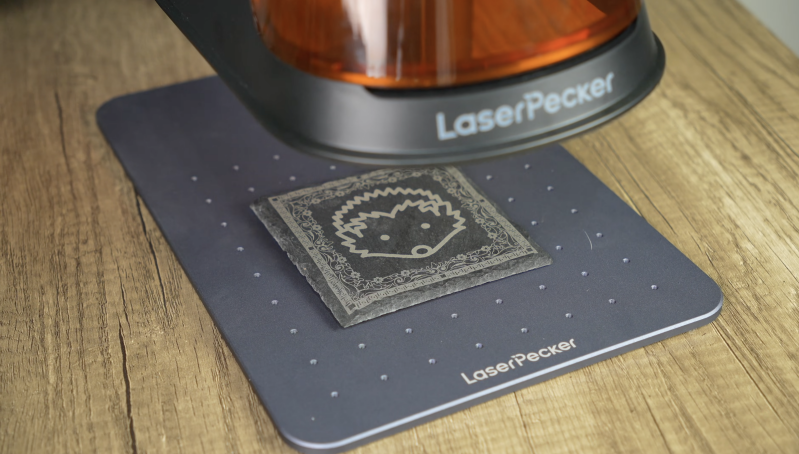
On anodised aluminium, the results can look excellent. The fibre laser removes the anodised layer cleanly, creating a bright, high-contrast mark that works particularly well for portraits, pet images, logos and detailed linework.
Fine details such as fur texture, whiskers, eyes and facial contours come through impressively when the source image and settings are right. Being able to load an image through the app, select appropriate settings and produce a premium-looking metal engraving without a huge industrial machine is a big part of the LP5’s appeal.
LaserPecker also claims the LP5 can cut thin metals under specific test conditions, including up to 1mm sheets depending on material and setup. That is useful to know, but most buyers should view the LP5 primarily as an engraver and marker rather than a replacement for a dedicated metal-cutting workshop system.
Slide Extension & Rotary Use
The slide extension is one of the most useful accessories in the ecosystem.
The standard 120 x 160mm working area is fine for smaller items, but the slide extension expands that to 160 x 300mm, opening up larger signage, rows of keyrings, longer wooden designs and bigger panels.
Because the galvo head stays fixed while the material moves, the machine keeps much of its fast, precise character.
The rotary extension is equally useful for creators selling personalised drinkware, jewellery, bottles or curved products. It integrates through the same software rather than requiring a separate controller, which keeps the workflow relatively clean.
REAL-WORLD EXPERIENCE
In real-world use, the LP5 feels built for people who want to produce finished items rather than simply experiment with laser engraving.
It is fast enough for small batch work, compact enough for a home studio, and portable enough for events or on-site personalisation. That combination is rare.
The ability to move between wood and metal is the main reason to buy it. A diode-only machine may be cheaper, but it will not properly cover the same metal engraving requirements. A fibre-only machine may be excellent for metal, but it will not offer the same flexibility for wood, leather and acrylic.
The LP5 sits in the middle as a compact all-rounder for makers, creators and small shops.
There are trade-offs. The price is high, the best experience comes when you buy accessories, and the software could still benefit from richer presets, clearer time estimates and deeper feature parity with LightBurn. Fume extraction also needs to be taken seriously, especially indoors.
But when the workflow comes together, the LP5 is quick, clean and surprisingly approachable for such a capable machine.
PROS
- Dual 20W fibre and diode laser system
- Excellent flexibility across metal and non-metal materials
- Very fast galvo engraving performance
- Compact and genuinely portable design
- Simple setup and focusing process
- Good mobile and desktop software support
- Clean results on anodised aluminium
- Strong wood engraving performance with the right settings
- Slide and rotary extensions expand what it can do
- Useful preview tools for alignment
- Ideal for creators, markets and small business production
CONS
- Expensive, especially with the best accessory bundles
- LightBurn support may not expose every LP5 feature
- Presets and time estimates could be more detailed
- Safety enclosure and purifier add extra cost
- Standard working area may feel limiting without the slide extension
- Fume extraction is essential for indoor use
- Best results still require testing and material tuning
- More machine than most casual hobby users need
WHO IS THIS FOR?
The LaserPecker LP5 is best suited for:
- Small creative businesses
- Etsy and craft sellers
- Product personalisation services
- Jewellery and metal tag engraving
- Branded merchandise makers
- Workshop users needing metal and wood capability
- Event sellers offering on-site engraving
- Creators wanting a compact premium laser system
It is less suited for:
- Casual beginners on a tight budget
- Users who only engrave wood
- Buyers needing a large fixed cutting bed
- Anyone unwilling to manage ventilation properly
- Users who rely entirely on advanced LightBurn workflows
FINAL VERDICT
The LaserPecker LP5 is not cheap, and it should not be treated like a simple entry-level desktop engraver. This is a premium, compact production tool aimed at creators and small businesses that need speed, portability and genuine material flexibility.
Its dual 20W fibre and diode system is the main reason it works so well. Metal engraving feels crisp and capable, wood engraving is clean and straightforward, and the accessory ecosystem gives the machine far more range than the standard footprint suggests.
There are still areas for improvement. Software presets could be richer, LightBurn compatibility is not perfect for every feature, and the best setup becomes considerably more expensive once you add the enclosure, purifier, slide and rotary.
But judged as a compact dual-source engraver for creators who need both metal and non-metal capability in one body, the LP5 is seriously impressive. For the right user, it is fast, flexible and capable enough to justify its premium position in 2026.
Watch the full cinematic video review on Gadget Crunch’s YouTube channel.
Add comment
Comments